Before answering any compliance question — what personal data do we process? where is it? who is accountable? — you need to answer a more basic one: which columns of which tables contain personal data? That answer is the raw material of the processing inventory that laws like Chile's Law 21.719 require, and without it every privacy policy is a statement of good intentions.
The good news: classifying personal data is not done by hand, column by column, in a spreadsheet. A modern data catalog solves it with standard classifications + automatic tagging + human review. In this guide we walk through it step by step using OpenMetadata, the open-source catalog we usually use as an example — the same flow exists, under other names, in any serious catalog.
We work on a sample database (a movie rental store with its customer table), with real screenshots of the interface.
The destination: tagged columns
This is what the end state looks like. The customer table — the customer master record — with every column classified:
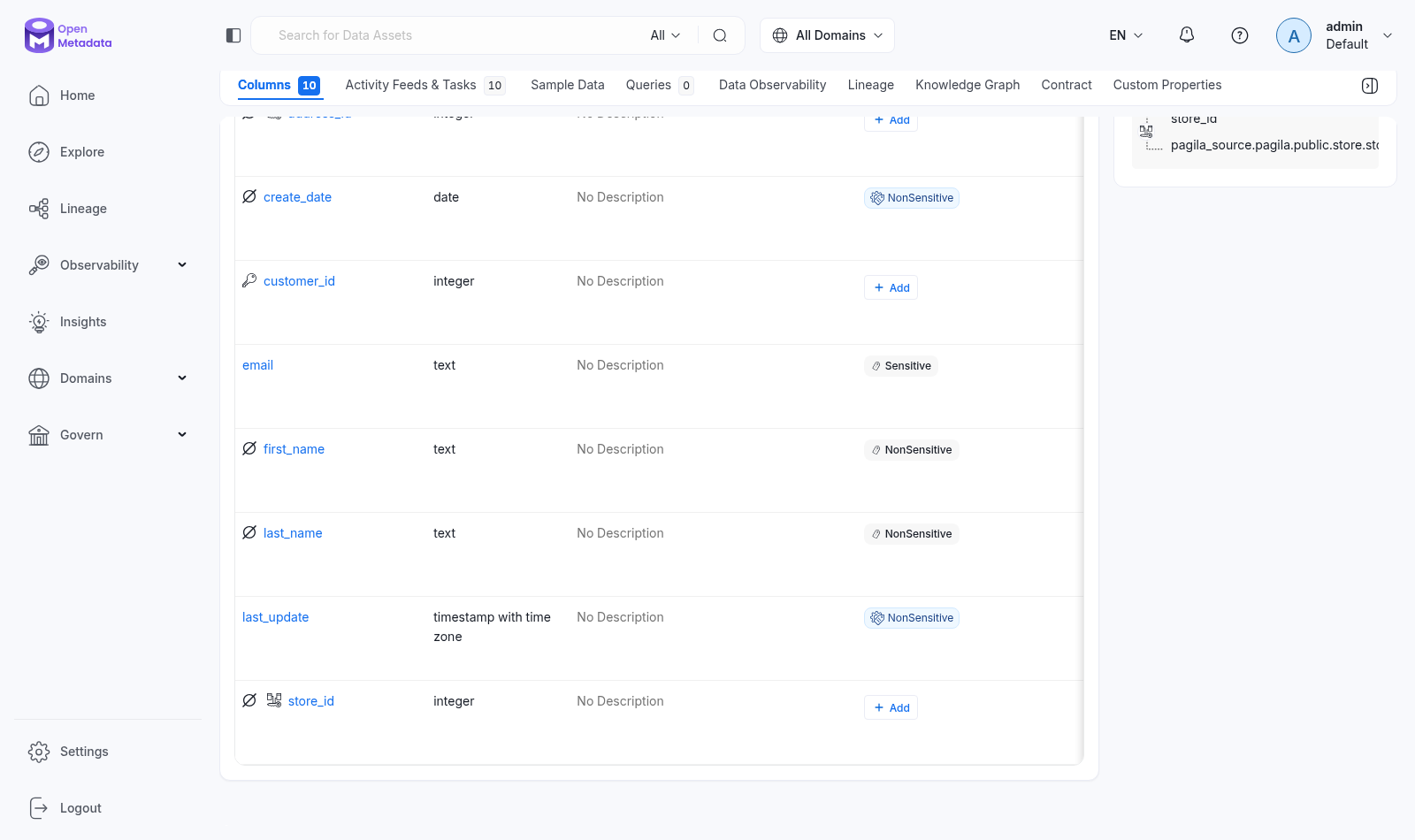
Three things worth noticing:
emailcarries theSensitivetag: it is the data point that, if compromised, directly exposes a person.first_name,last_name,create_dateandlast_updatecarryNonSensitive: personal data, but publicly accessible or low-risk.- Some tags show a gear icon: it means the automatic classifier applied them, not a person. The rest were a human decision. That distinction — what the machine tagged versus what someone confirmed — is recorded and auditable.
Step 1 — Know the PII classification
Govern → Classifications holds the classification tree. OpenMetadata ships with a PII classification with three levels:
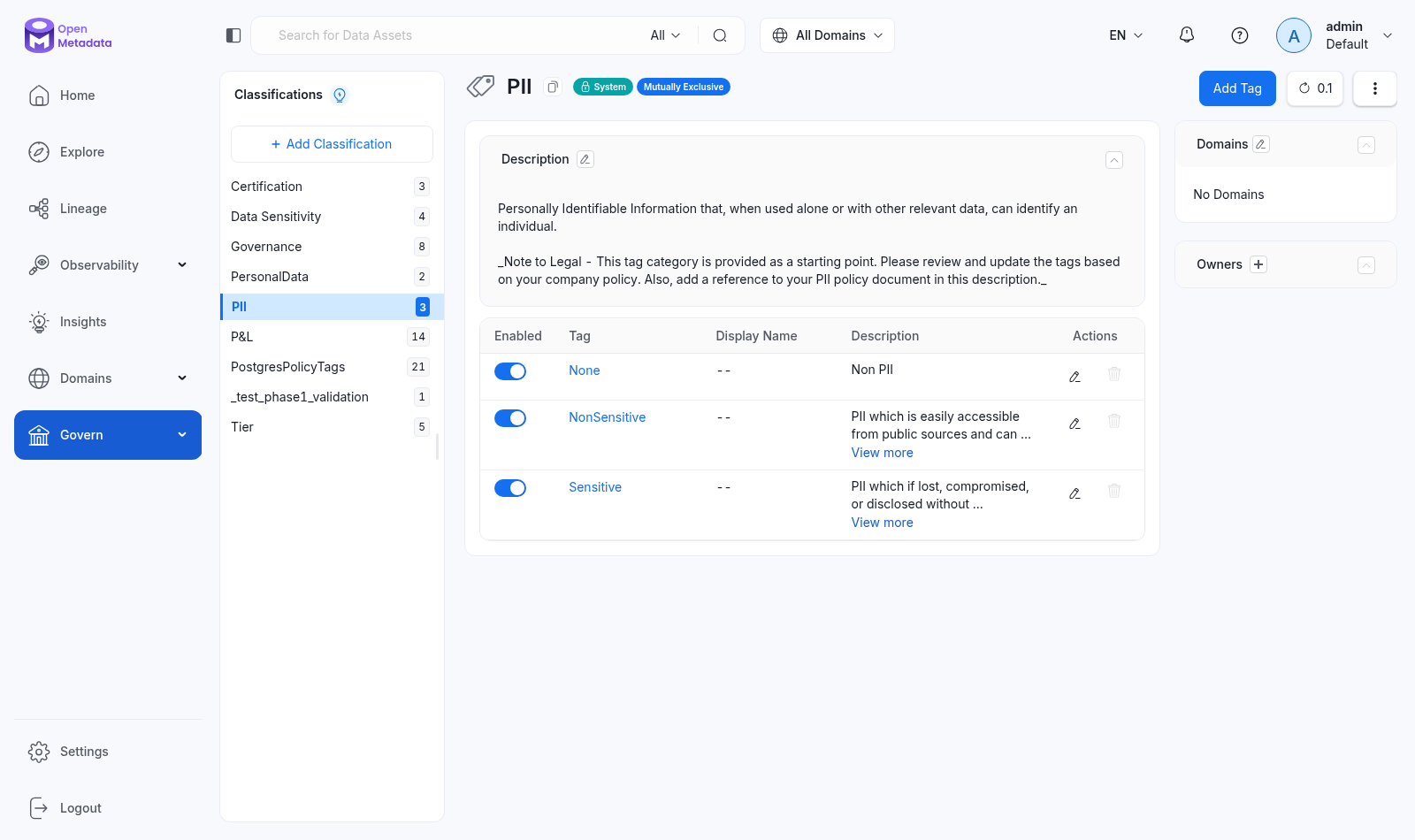
- None — the column contains no personal data.
- NonSensitive — PII that is easily accessible from public sources (a name, a signup date).
- Sensitive — PII that, if lost or disclosed without authorization, harms the person (email, ID number, financial data).
Two important details: the classification is marked Mutually Exclusive (a column can hold only one of the three levels — it cannot be Sensitive and NonSensitive at once) and it is a System classification, though you can create your own (for instance, one aligned to your local regulation's categories — our sample tree also has PersonalData and Data Sensitivity).
Step 2 — Let the agent do the tagging
Tagging 40 tables by hand does not scale; tagging 4,000, even less. The heavy lifting is done by the AutoClassification Agent: a pipeline that samples each table's data, applies pattern recognizers (emails, phone numbers, names, cards) and assigns the corresponding PII tag.
It is configured and scheduled on the database service page, Agents tab:
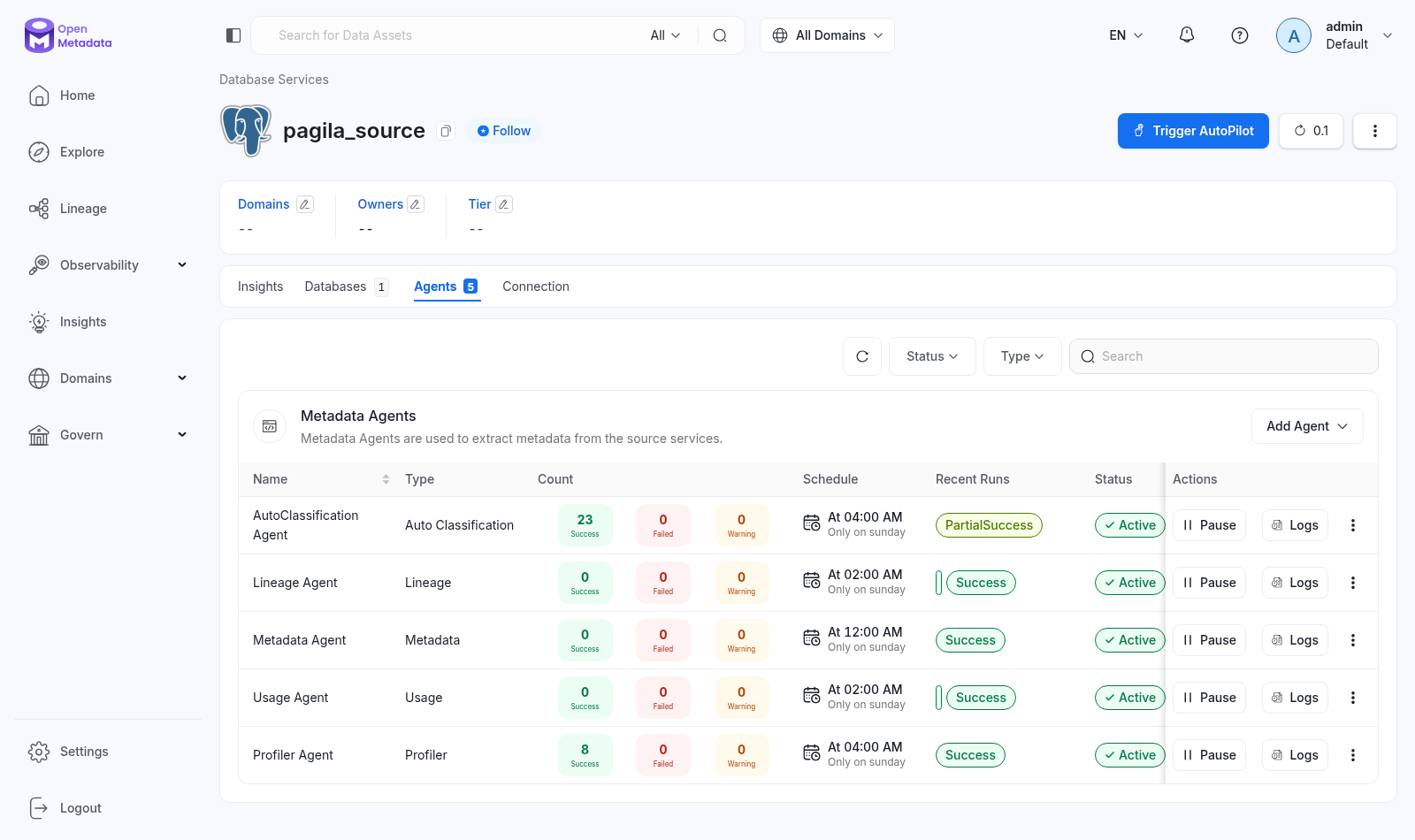
In our example the agent runs every Sunday at 4 AM and has accumulated 23 successful runs. That is the key point: classification is not a one-off project — it is a scheduled process. If someone adds a phone_number column on Monday, the agent finds and tags it the following Sunday, without anyone having to remember.
Step 3 — Review and correct (the human part)
The automatic classifier gets a lot right and is sometimes wrong — which is why automatic tags stay marked with their icon, to tell them apart from human-confirmed ones. The review routine is simple:
- Open the critical tables (the ones feeding processes with customer data).
- Check that automatic tags make sense in your context: the classifier does not know that in your business
internal_codeis actually the customer's ID number. - Adjust where needed — the Add button in the Tags column applies or corrects a tag in two clicks.
The result is not just the tag: it is the governance context around it. The same table screen shows the domain (Customer Management), the accountable team (Customer Service), the criticality (Tier1) and the table-level Sensitive mark:
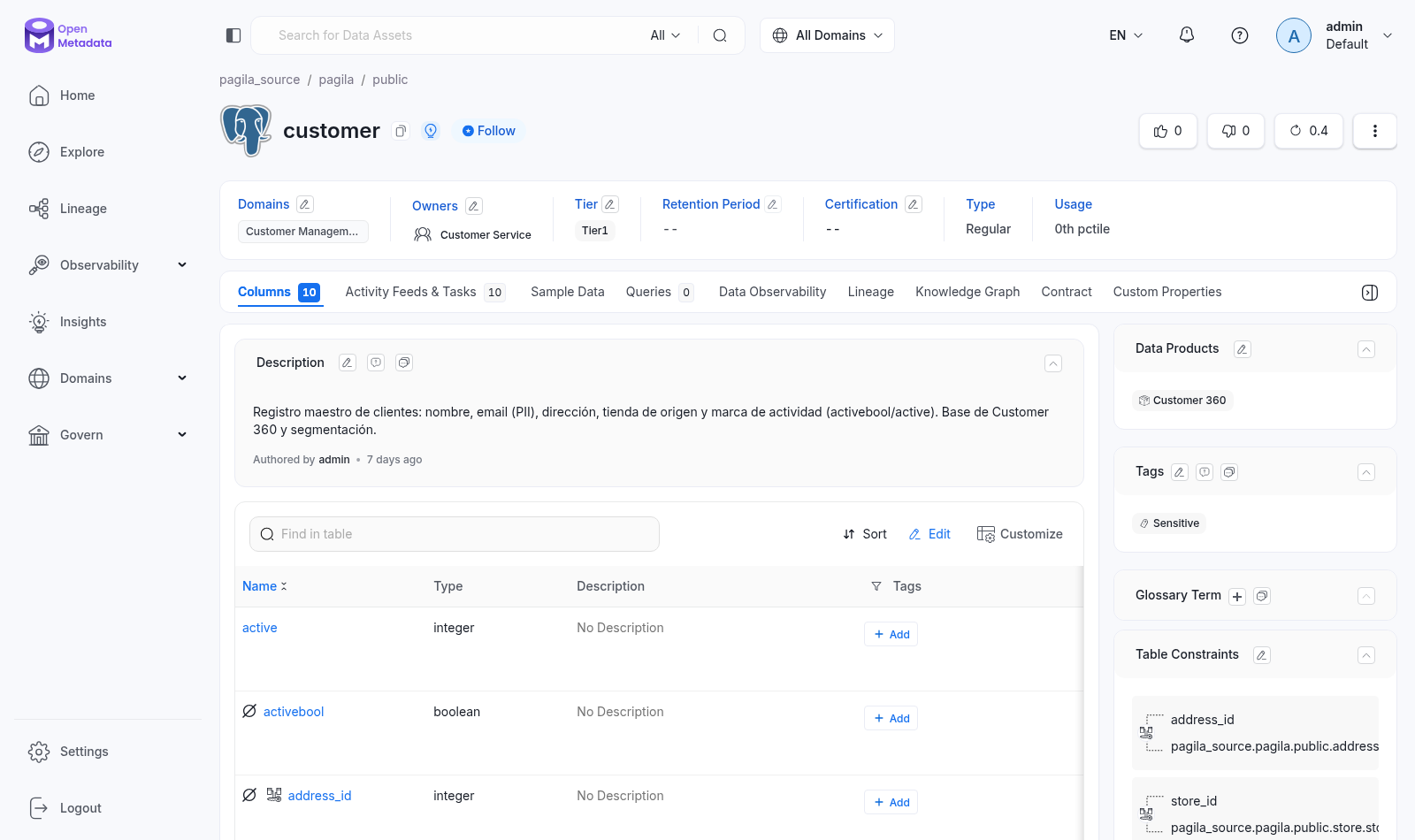
That combination — which data is personal + who answers for it + how critical it is — is exactly what a processing inventory needs as input.
What automatic classification does not solve on its own
Let us be honest about the limits, because this is where projects fail:
- The criteria are yours, not the tool's. What counts as sensitive depends on your regulation, your industry and your context. The tool proposes; your policy decides.
- Without ownership, tags rot. If nobody is responsible for reviewing what the agent tags, in six months the catalog lies. Classification lives inside a governance program — with roles, cadence and review — or it does not live at all.
- The tag is not the policy. Marking
emailas Sensitive does not restrict access or define the retention period: that is done by the policies and processes that build on the tag.
Put differently: PII classification is a technical capability inside a data governance program, not a product you install and forget. The tool can be OpenMetadata, your cloud provider's native catalog, or another one — the program is what makes it work.
Start by knowing where you stand
If your organization still cannot answer "where does our personal data live?" with evidence, that is the first gap to close — before buying tools and before writing policies. Our maturity assessment evaluates exactly that: which governance capabilities you have today, which ones you lack, and in what order to close them given your regulatory context.